From clock-in to payday, in one system.
TSUNAGU connects clock-ins, attendance, requests, payroll and the bank transfer file through a single employee record. Here is each part, with the real screens.
Six feature families
Attendance & overtime
Clock-ins from the face terminal and the phone app in one place. Late arrivals and missing punches stand out, and the dashboard shows who is close to the Article 36 overtime cap.
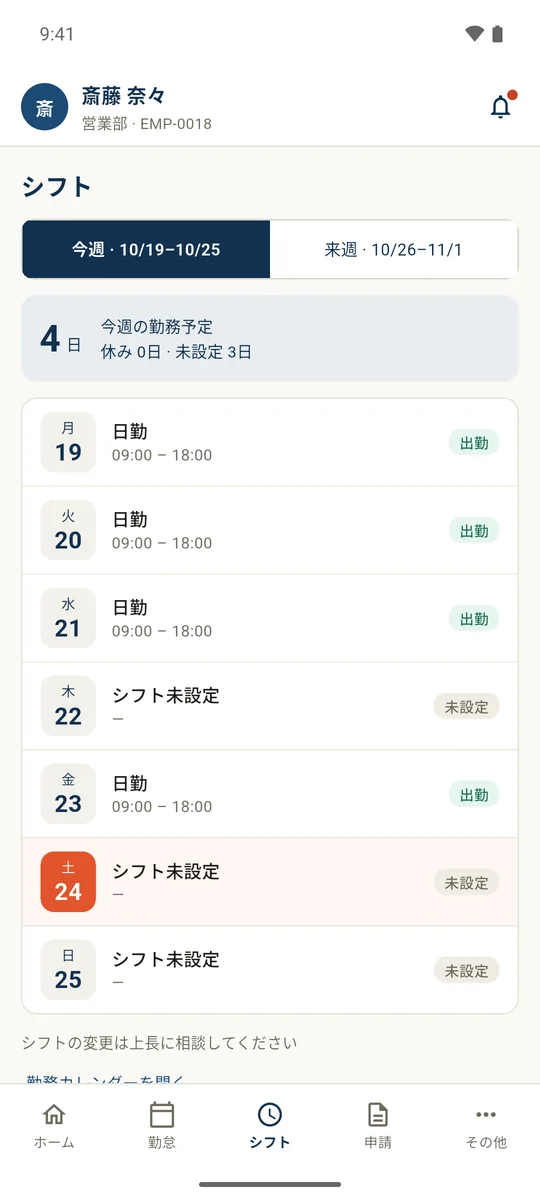
Shifts
Build each week from templates or last week's copy. Employees see it only once you publish.
Leave & corrections
Employees request, managers then HR approve. Paid leave grants and balances are kept for you.
Payroll & payslips
Pay is calculated from approved attendance, with health insurance, pension, employment insurance, income tax and resident tax deducted. Payslips go to the app and the web.
Bank transfer & ledgers
Create the salary transfer file in the Zengin format, and export the wage ledger, attendance register, paid-leave register and year-end data.
Employees & company settings
Import employees in one file and set rules per department and employment type. Run several legal entities from one screen.
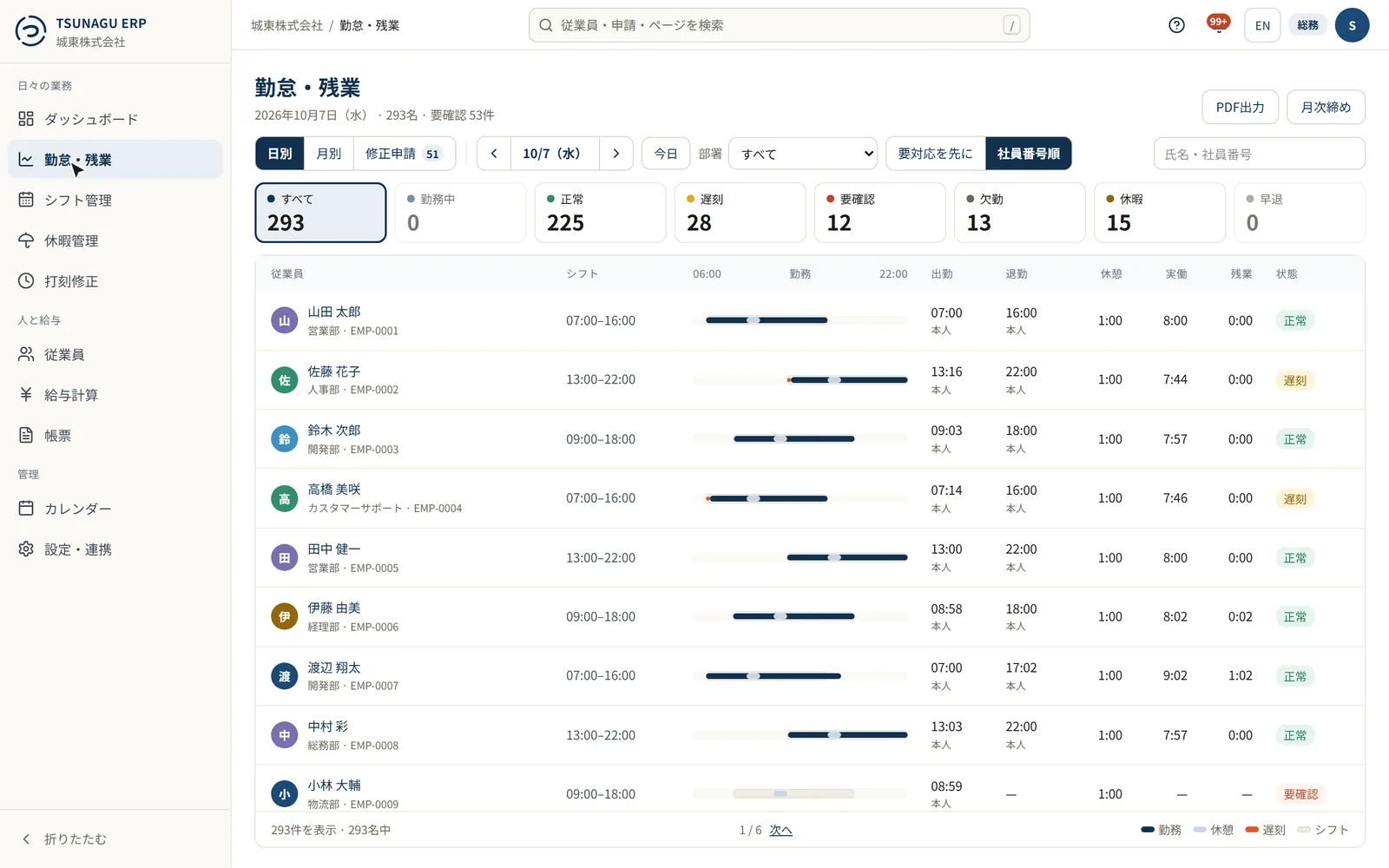
Everyone's hours and overtime at a glance.
Clock-ins from the face terminal and the phone app become the daily attendance sheet. Late arrivals, early leaves and missing punches are sorted for you, with the people who need checking first.
- Daily and monthly attendance and overtime
- Late, early, absent and leave detected automatically
- A daily check against the Article 36 overtime cap
- Month-end close and PDF export
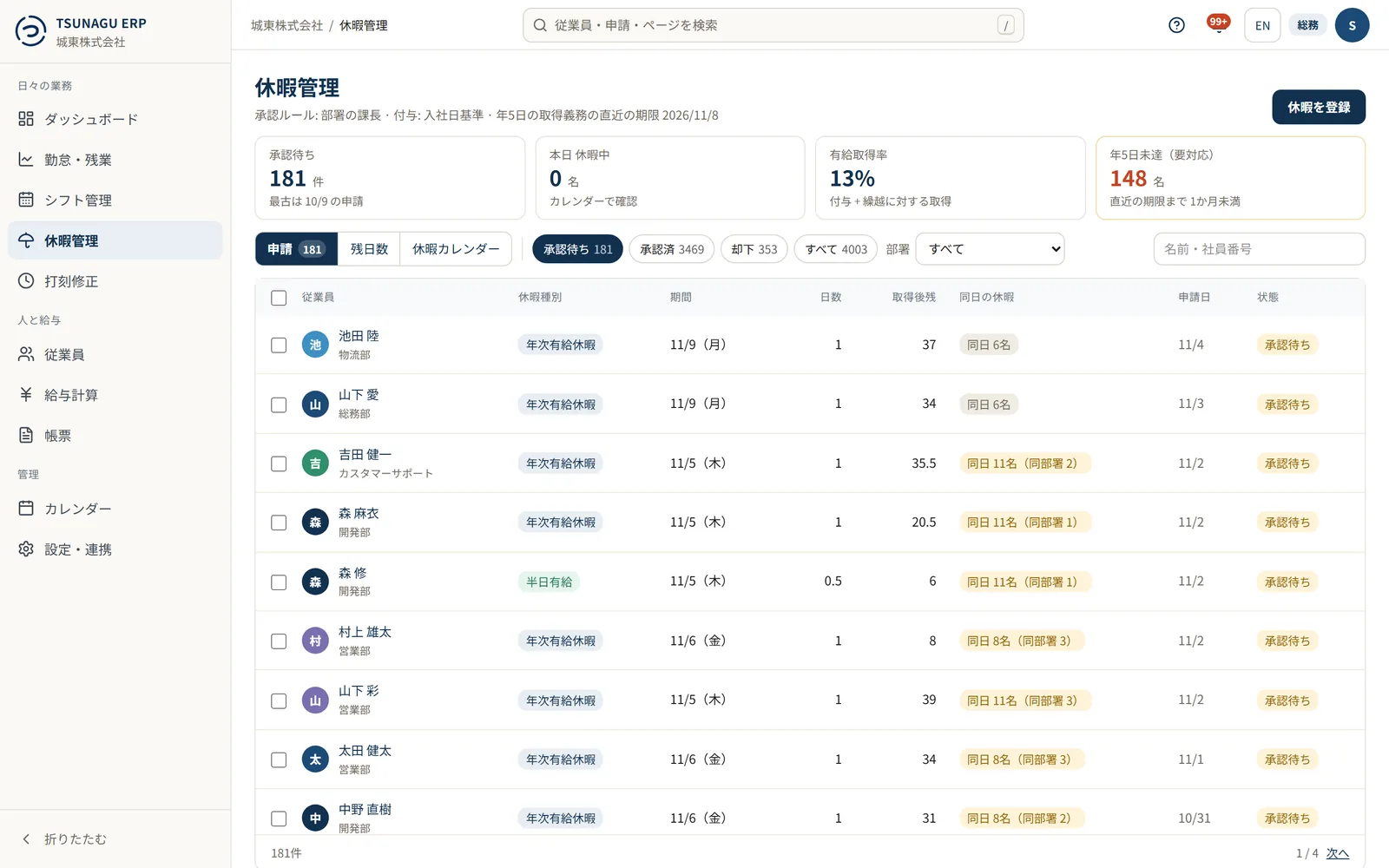
Requests and approvals, off paper and email.
Employees request leave and time corrections from the app or the web; their manager and then HR approve. You see who else is off that day before you approve.
- Set the approval order (manager → HR)
- Paid leave granted by hire date, balances kept
- The 5-day annual leave rule, with deadlines
- Half days, sick leave, personal leave and more
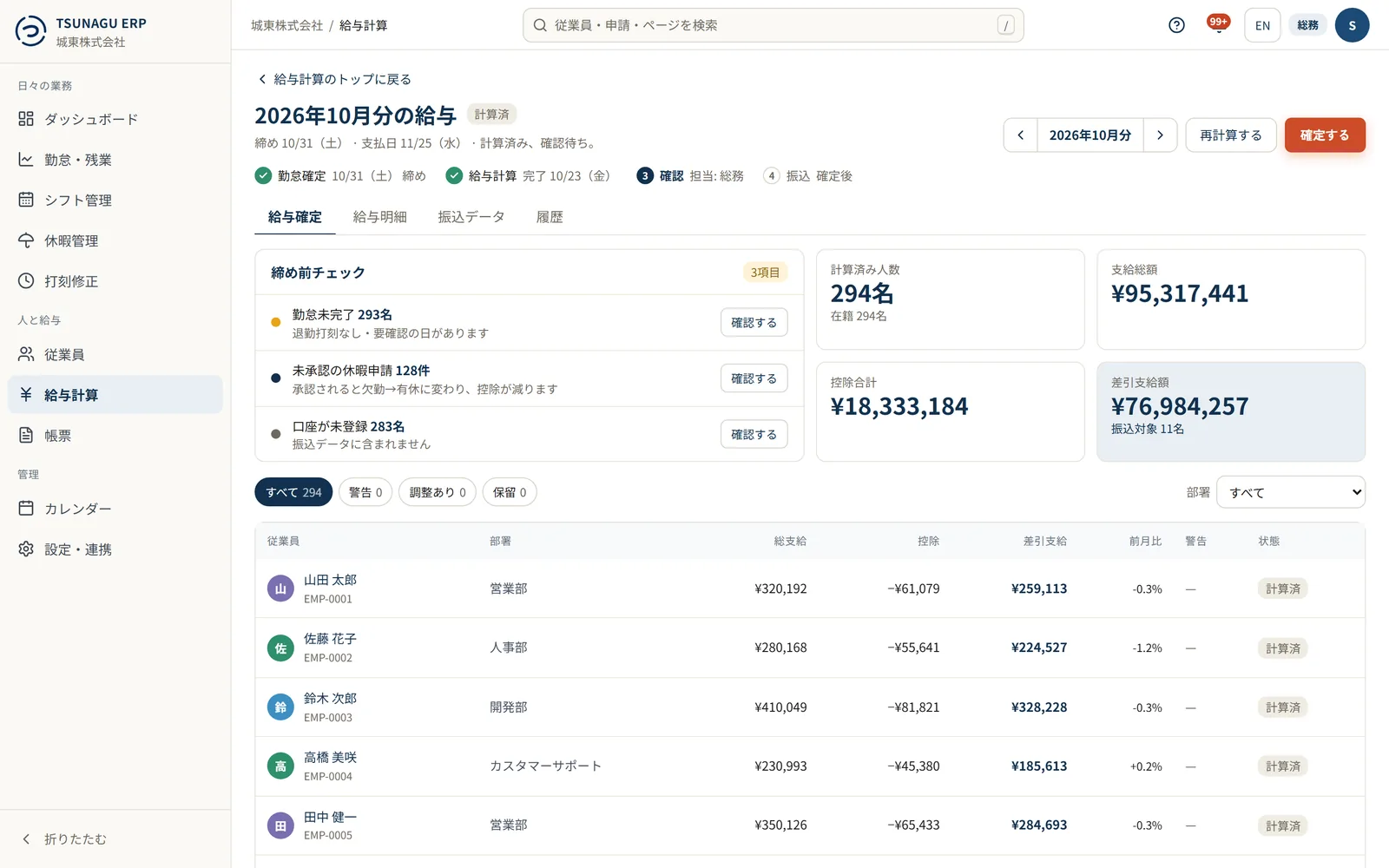
Pay calculated from the closed month.
Payroll moves through four stages: attendance closed → calculated → checked → paid. A pre-close check lists unfinished attendance, unapproved requests and missing bank accounts.
- Social insurance, employment insurance, income and resident tax deducted
- Employees whose pay moved a lot from last month are shown
- Payslips on the web, in the app and as PDF
- The bank transfer file in the Zengin format
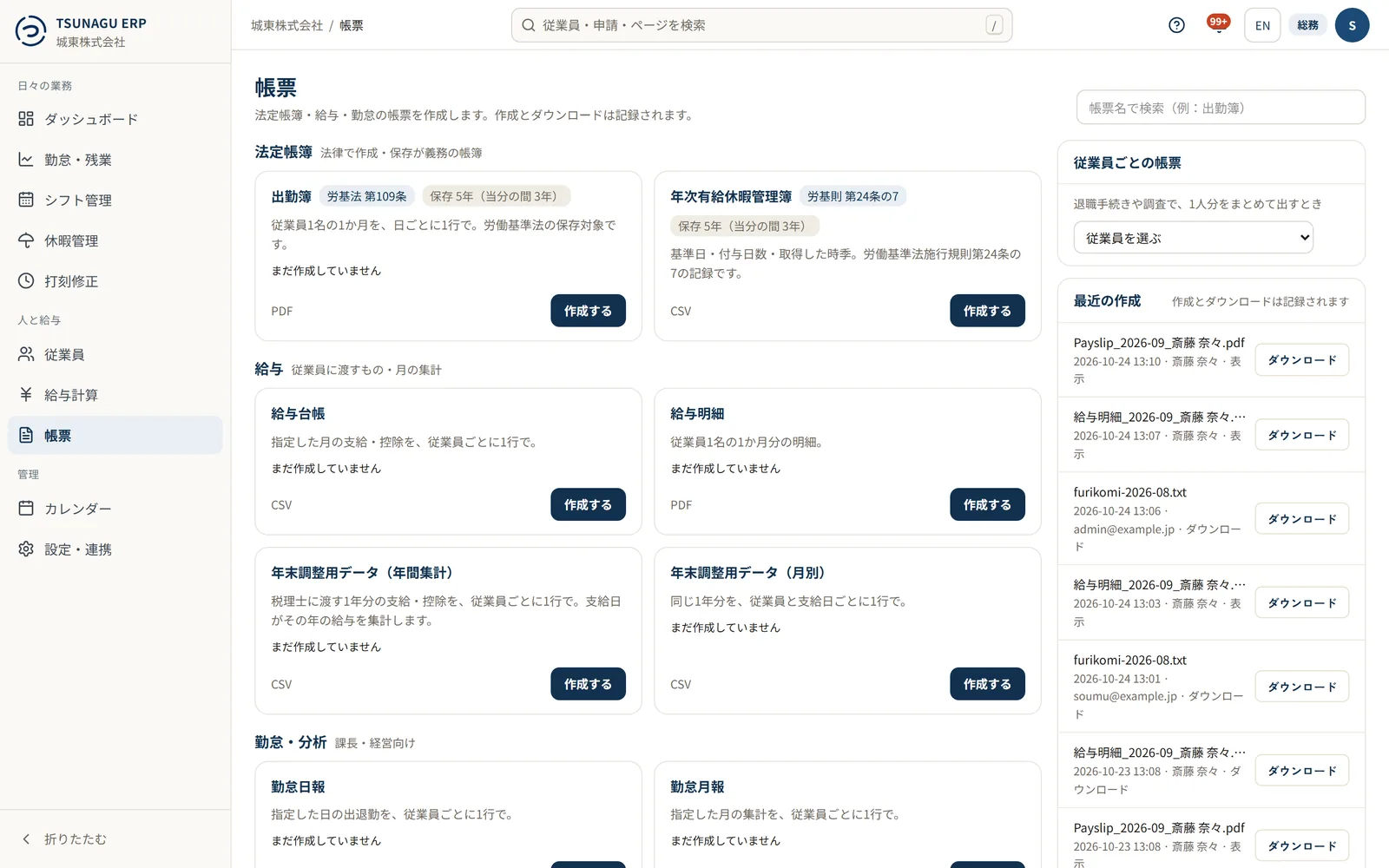
Statutory ledgers, and data for your accountant.
Create the attendance register, wage ledger and paid-leave register; every export is recorded. Year-end adjustment data can be exported too.
- Attendance register, wage ledger, paid-leave register
- Payroll ledger and payslips (CSV / PDF)
- Year-end data (annual and monthly)
- Daily and monthly attendance reports
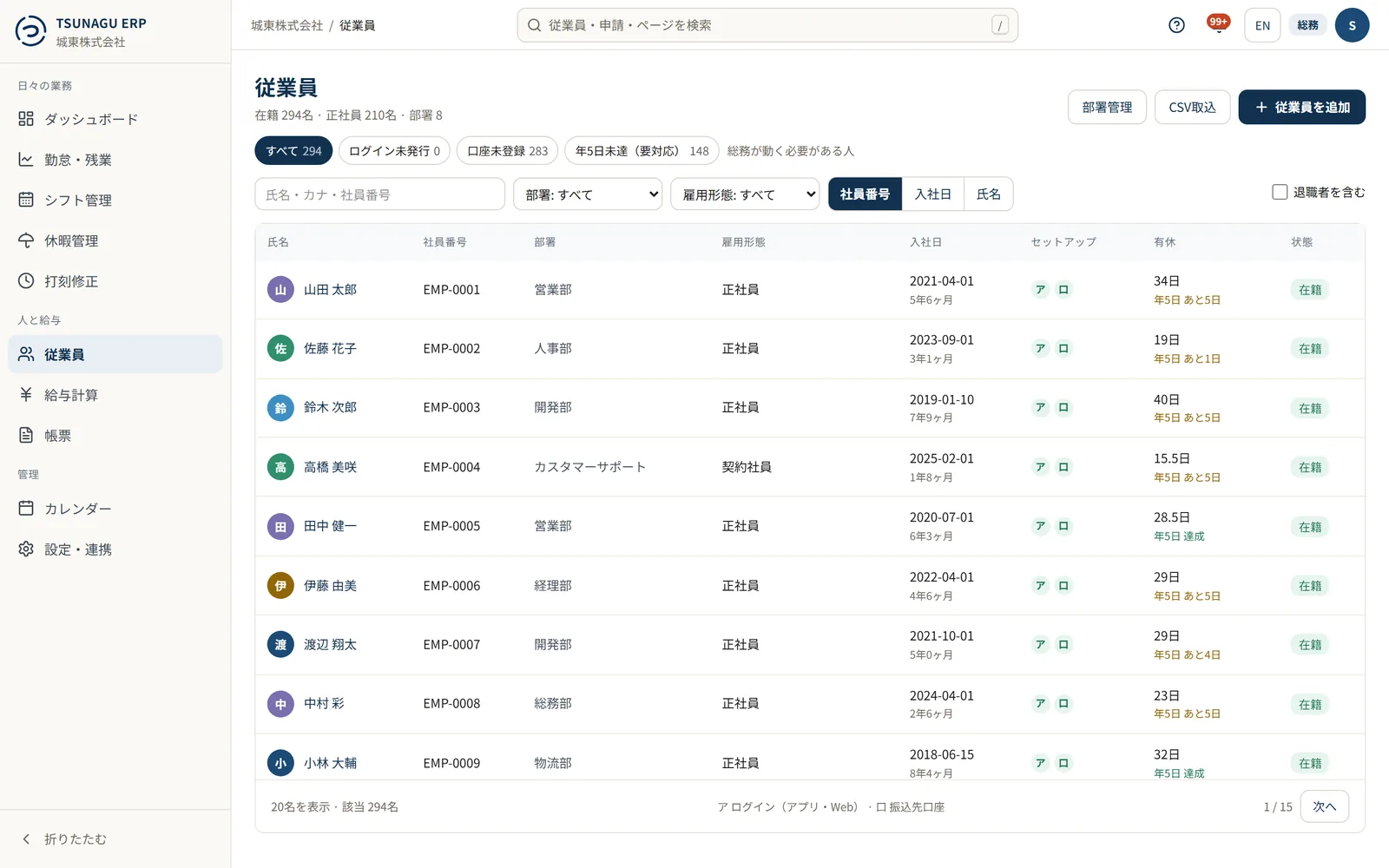
People and company rules, in one place.
Import employees from a file. Set departments, employment types, closing and pay days, leave types and clock-in rounding to match your rules — and switch between legal entities.
- Bulk import, with sign-in and bank account status
- Settings per department and employment type
- Multiple legal entities
- Japanese and English screens
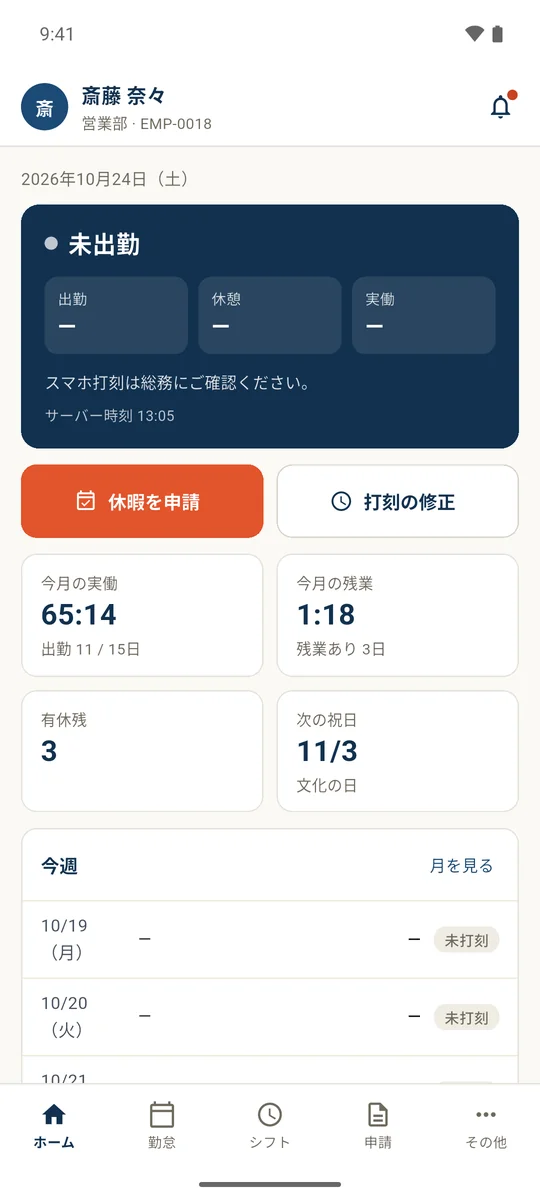
Employees check and request on their phone.
Clock-in, schedules, requests, payslips and notices on each employee's own phone. Managers approve from the app.
- Phone clock-in with location (allowed per employee)
- Shifts and the work calendar
- Payslips and PDF
- iPhone and Android
See it run on your own work rules.
Tell us how you close payroll, your leave policy and who approves what — we will show TSUNAGU set up the way your company works.