Every working day, from clock-in to approval.
Clock-ins become the daily sheet. Late arrivals and missing punches stand out, requests and approvals happen on screen, and at month-end you simply close and move on to payroll.
Two ways to clock in
Choose what suits each workplace. Both land in the same attendance record.
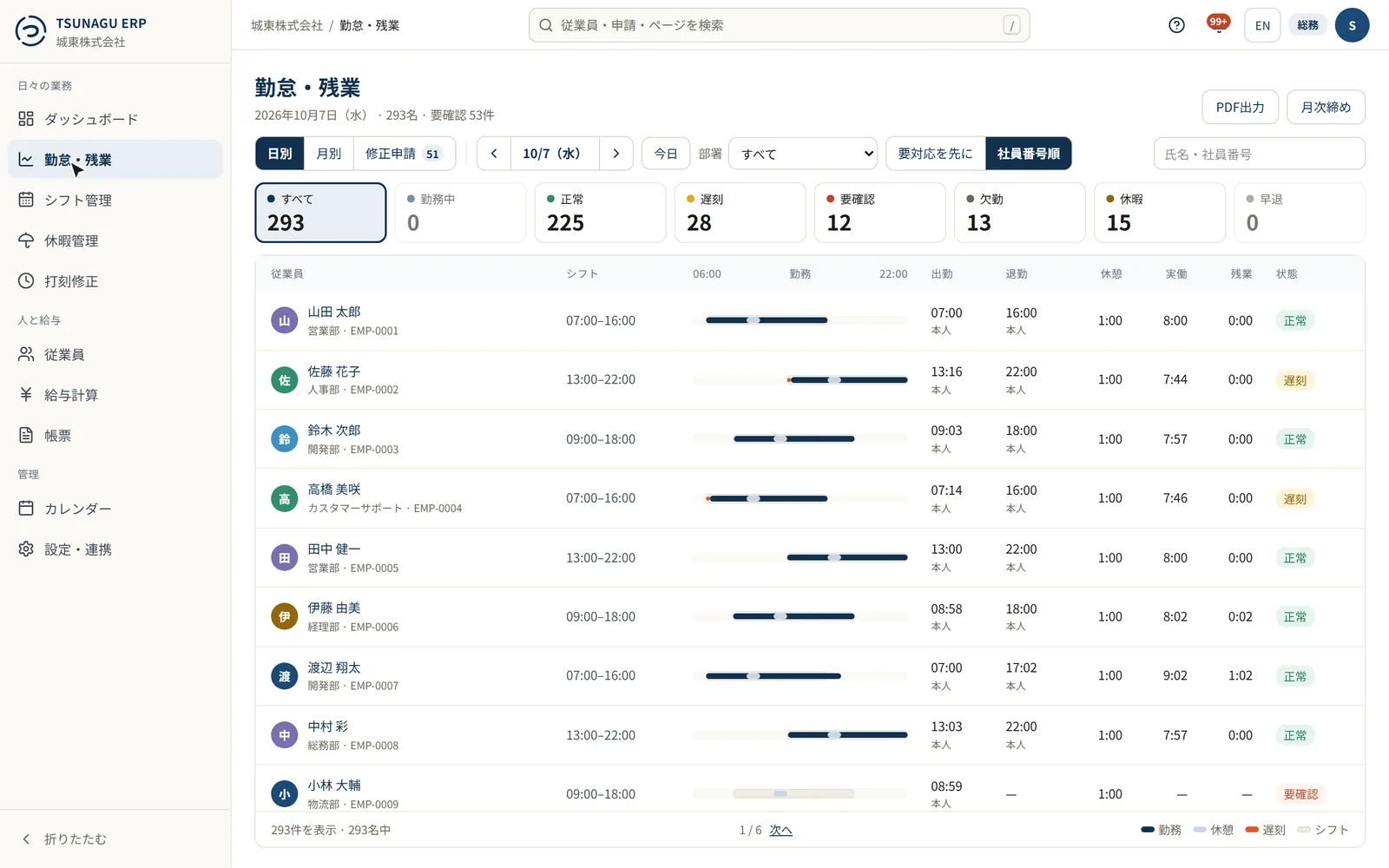
Who worked when, at a glance.
Shifts and actual hours side by side, sorted automatically into normal, late, early leave, absent, leave and needs-check. Sort by “issues first” to deal with the people who need attention.
- Shift vs actual as a bar
- Breaks, worked hours and overtime totalled
- Clock-in rounding set per company
- PDF export and month-end close
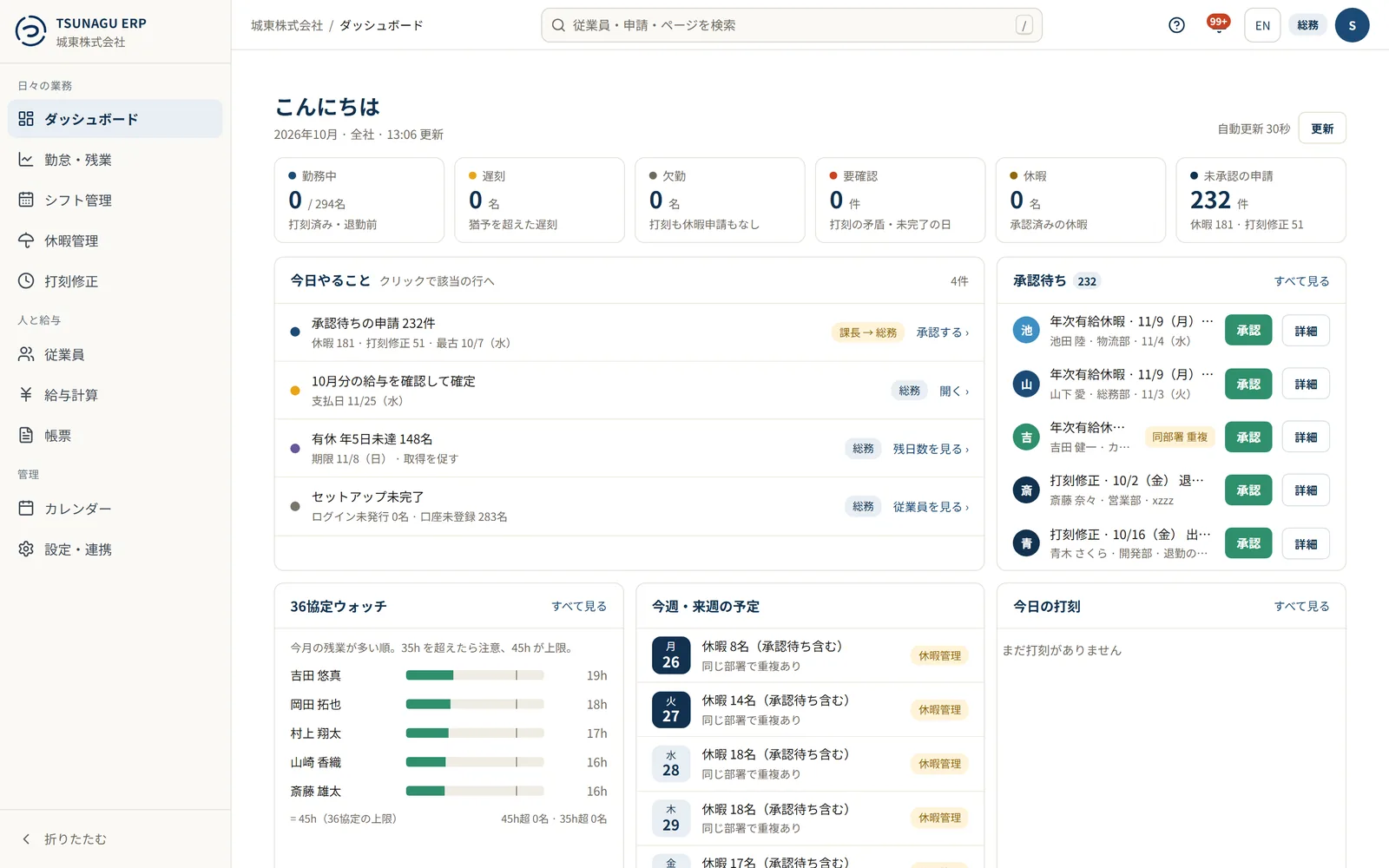
Notice before the cap is reached.
The dashboard's overtime watch lists employees by this month's overtime. A warning at 35 hours, the cap at 45 — act before month-end.
- Overtime, over-60h, night and holiday hours kept apart
- A daily check on who is close to the cap
- Night shifts across midnight calculated correctly
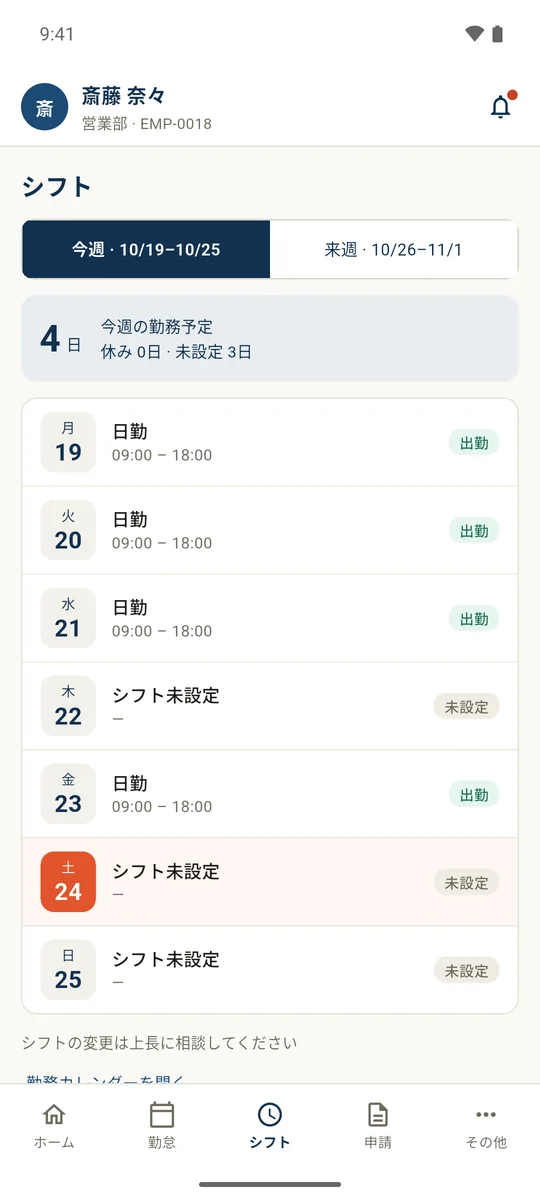
Build each week's shifts fast.
Drop early, day, late or night templates into the grid, or copy last week in one go. Employees only see it once you publish, so you can work it out first.
- Templates and copy-last-week
- View by department
- Publishing updates the employee app
- Monthly plans from base shifts
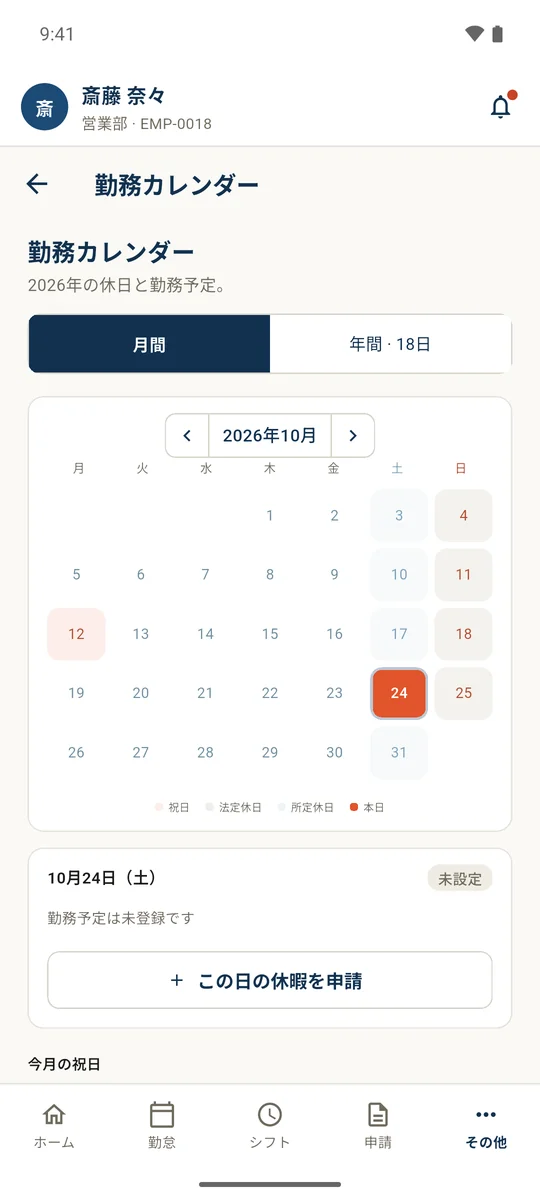
Employees request, managers approve on screen.
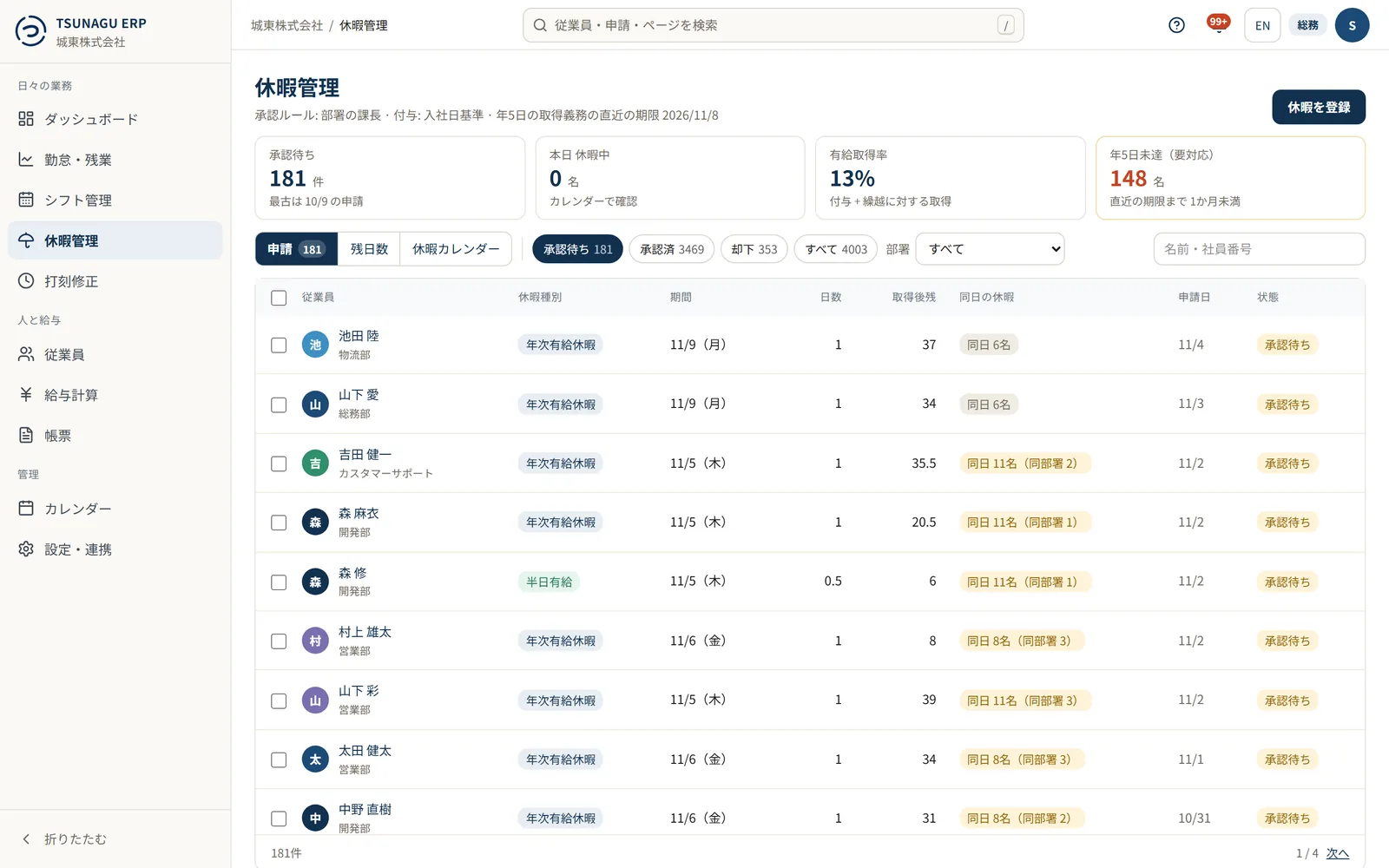
Employees request leave or time corrections from the app or the web; their manager then HR approve. If someone else in the department is off that day, you see it before approving.
- Annual, half-day, sick and personal leave and more
- Paid leave granted by hire date, balances kept
- The 5-day annual leave rule, with deadlines
- Corrections need a reason and update attendance once approved
Month-end is just a close.
Close the approved month and go straight on to payroll.
See it run on your own work rules.
Tell us how you close payroll, your leave policy and who approves what — we will show TSUNAGU set up the way your company works.