From the closed month to the bank file.
Each month's payroll moves through four stages: attendance closed, calculated, checked, paid. The screen shows where you are and what to do next.
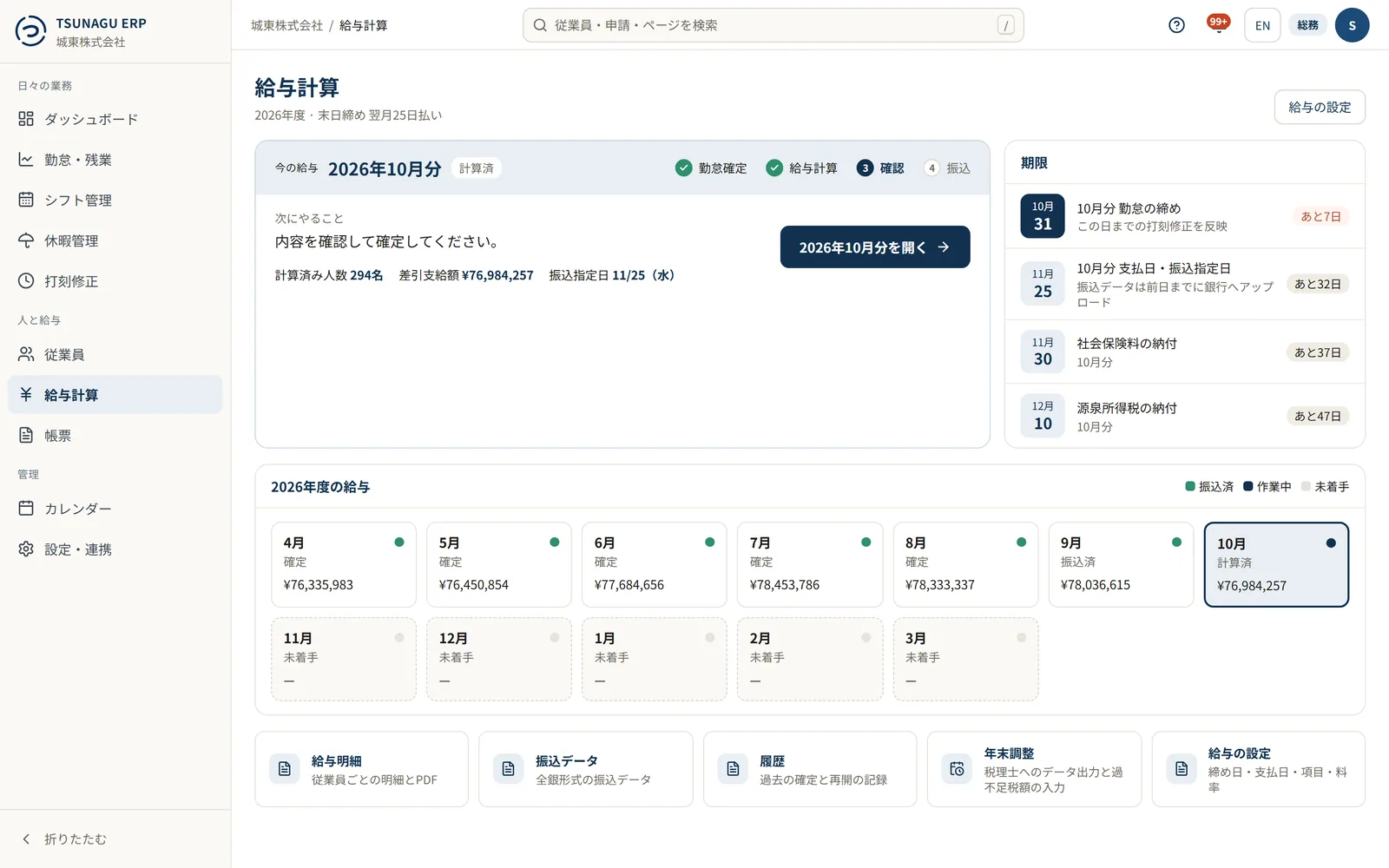
Every payroll in four stages
Attendance closed
The closed month's attendance comes into payroll. Unfinished attendance or unapproved leave is flagged before you close.
Calculated
Earnings and deductions are calculated. Anyone whose pay moved a lot from last month is flagged.
Checked
Check gross, deductions and net pay, then confirm. A confirmed month does not change behind your back.
Paid
Create the Zengin bank file to upload to your bank, and publish payslips to employees.
Earnings and deductions, by the rules.
Rates and tax tables are kept as data per fiscal year and updated when they change. See compliance
Earnings
- Base pay and overtime (normal and over 60h)
- Night and holiday work allowances
- Deductions for absence, lateness and early leave
- Director remuneration
Deductions
- Health and long-term care insurance (Kyokai Kenpo rates by prefecture, 50 grades)
- Employees' pension (32 grades) and the child support levy
- Employment insurance (rate by fiscal year)
- Withholding income tax (monthly table) and resident tax (per the notice)
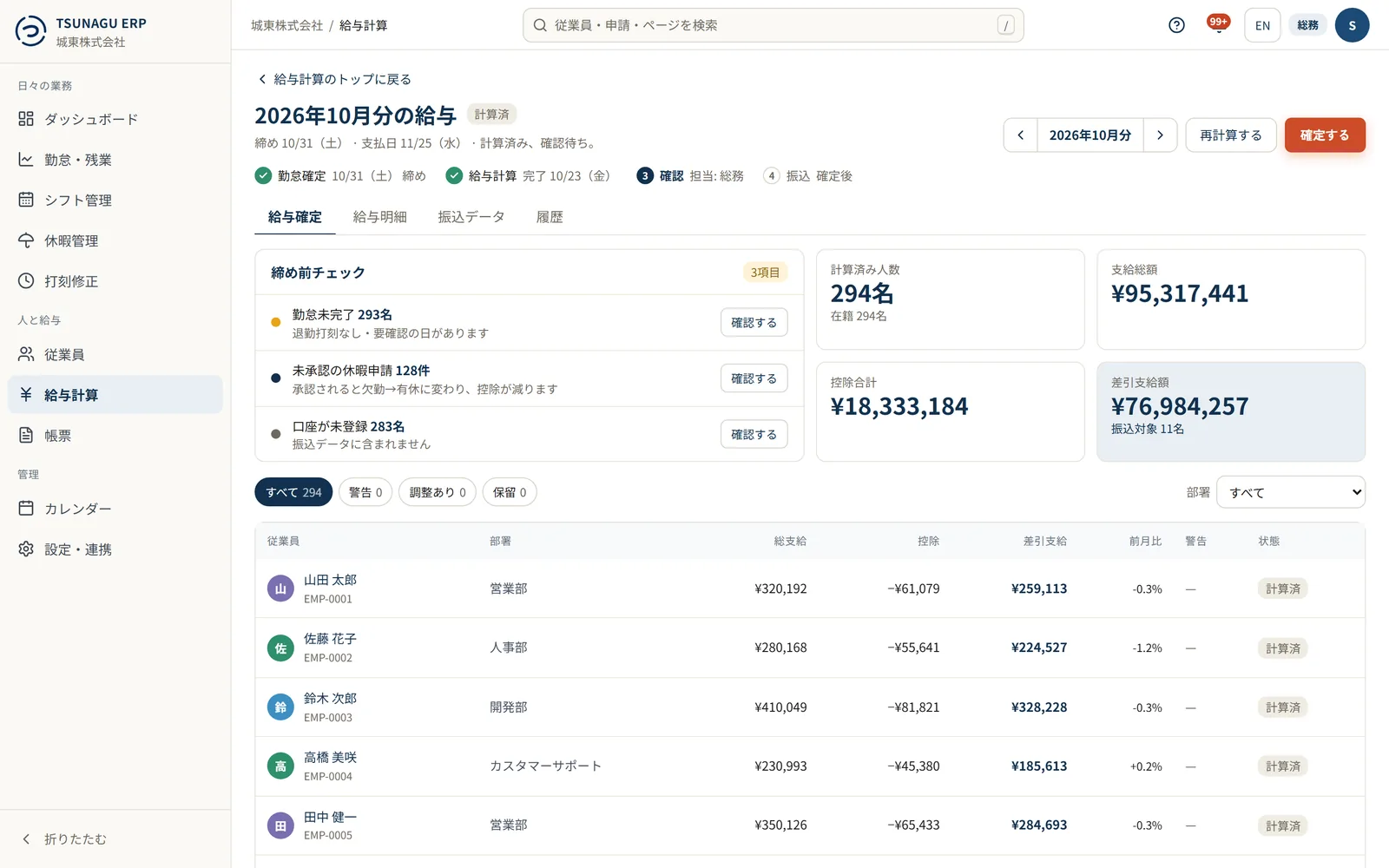
See what needs attention before you close.
Unfinished attendance, unapproved leave and missing bank accounts in one list. Check each employee's gross, deductions, net pay and change from last month before you confirm.
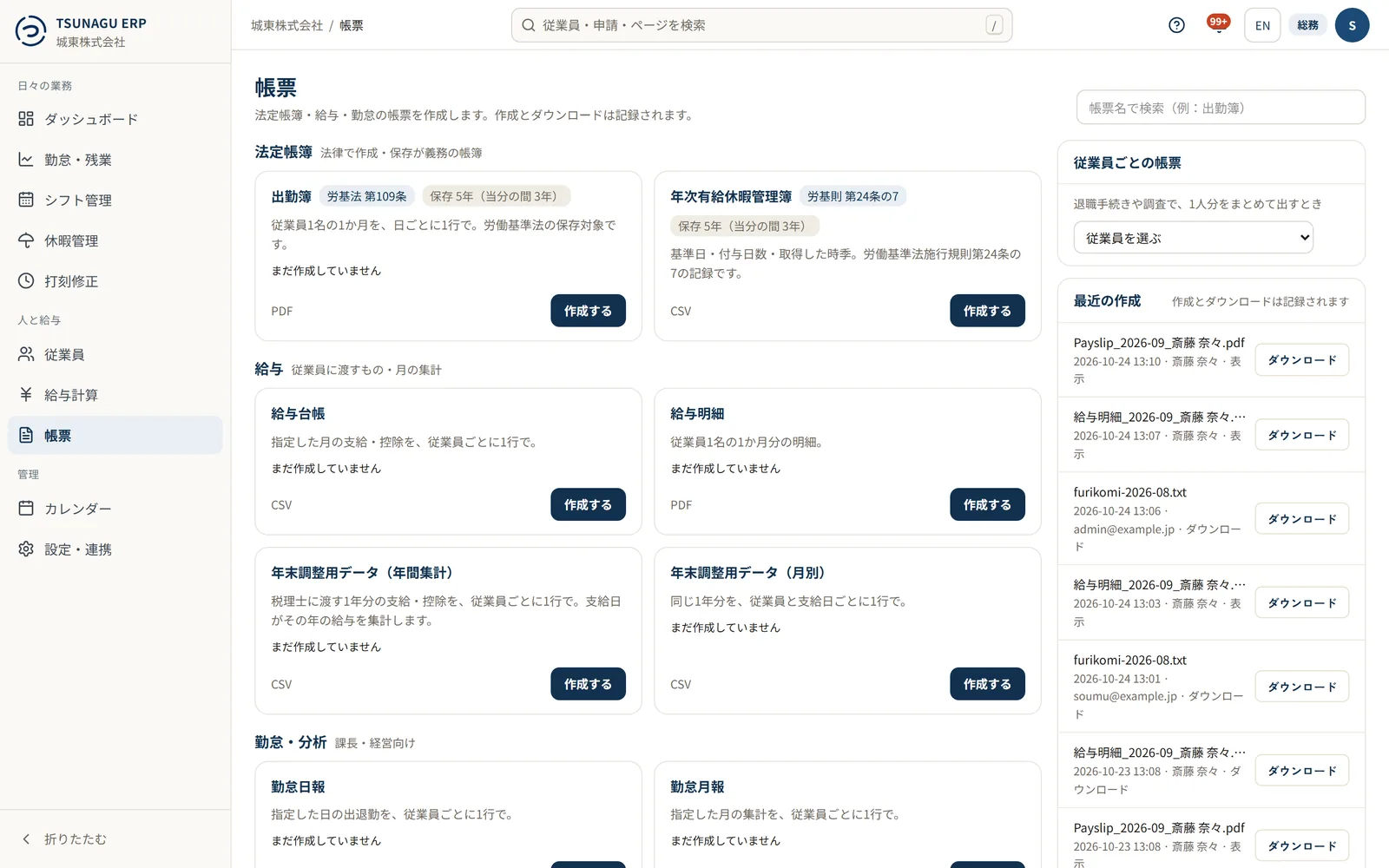
Everything after pay day, together.
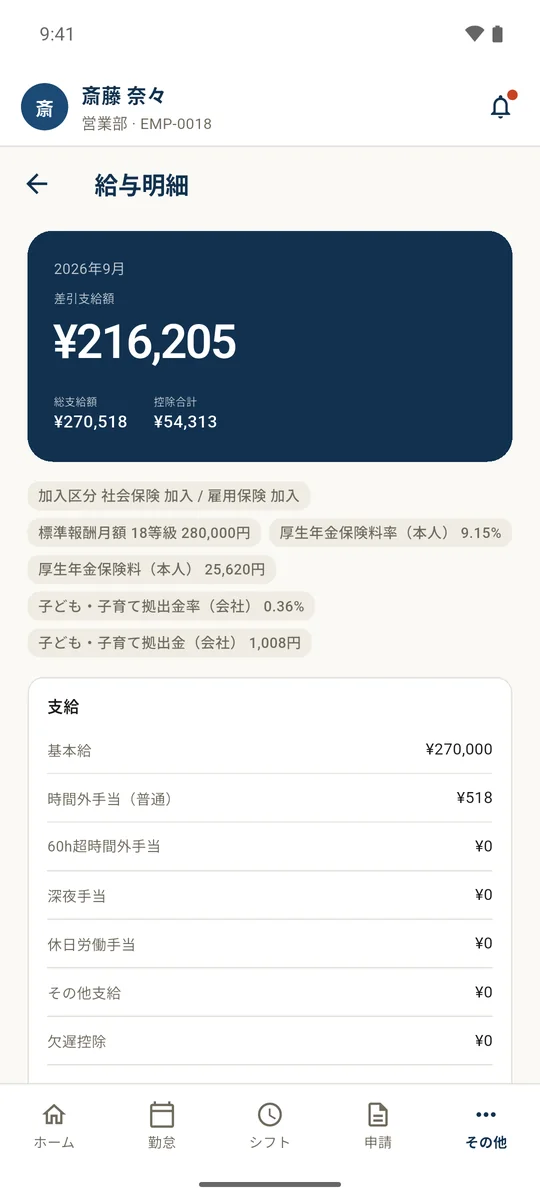
- Publish payslips on the web, in the app and as PDF
- The bank transfer file in the Zengin format
- Wage ledger and payroll ledger (CSV / PDF)
- Every export is recorded
Ready to hand to your accountant.
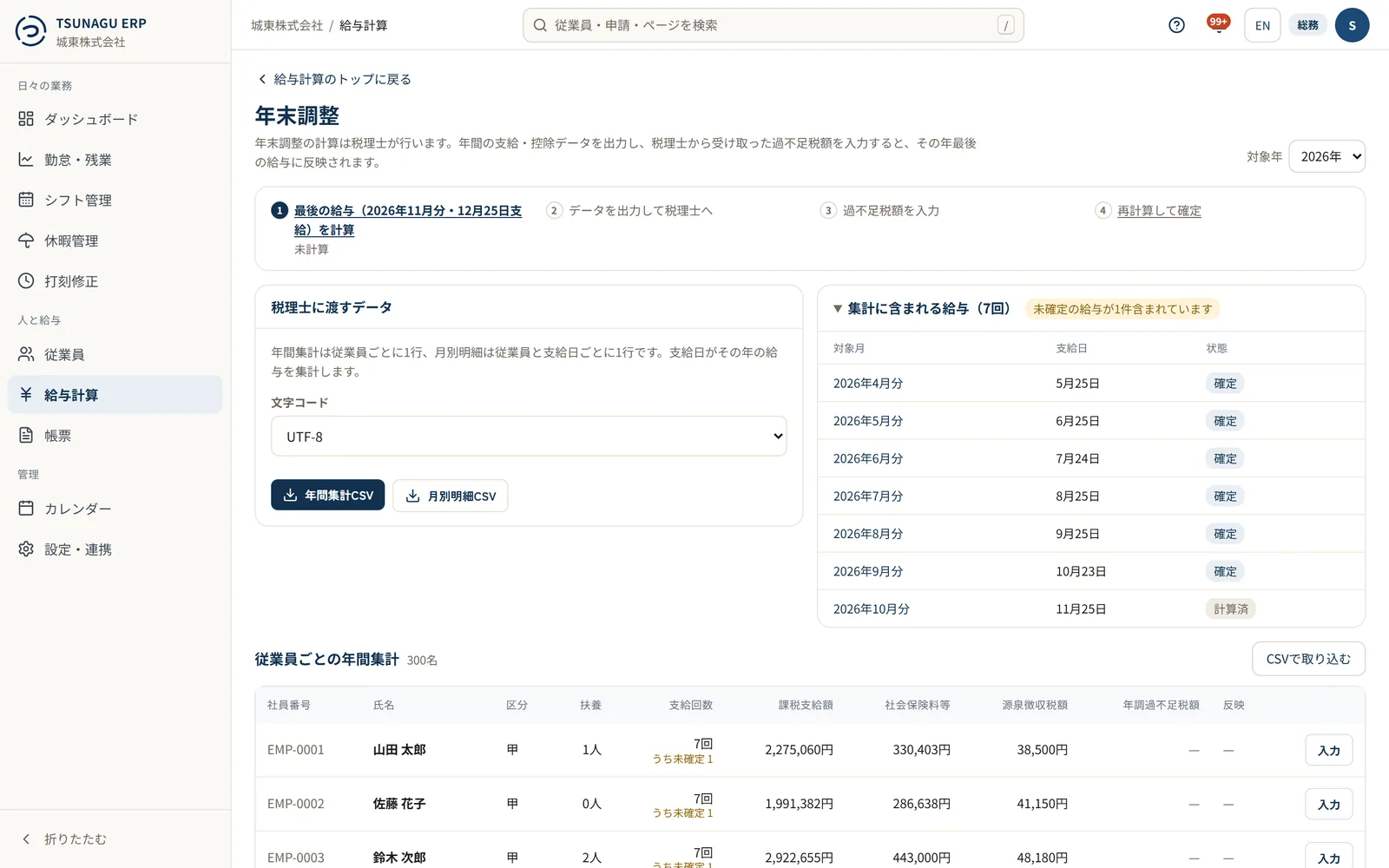
Export the pay and deduction data year-end adjustment needs, as annual and monthly CSV. Enter the adjustment your accountant returns and it goes into that month's pay.
See it run on your own work rules.
Tell us how you close payroll, your leave policy and who approves what — we will show TSUNAGU set up the way your company works.